About the Project
The name might be a little cheesy, but the message gets across. OSFS, also known as One Stop Financial Shop, is an application that delivers a plethora of personal finance aids. Highlighted features include: A Receipt log, a Savings Goal, and a distributor system. More about them below.
Behind the Project
Why out of all things a financial application, when there are so many out there? Well, there are a lot of different apps out there. The issue is a lot of them have premium features with a paywall. In the financial realm especially, seems counterproductive. The premium features end up being the apps biggest selling point, behind a monthly paywall, that’s not fair. That’s also against our beliefs. On top of that, every application has one area where they shine but nothing to keep things centralized. That’s where just the name comes in. Instead of having a notepad app to write down what you did with what money. Another to calculate how much to move, and another to have a copy of the invoice/receipt saved in a convenient location. Let’s make everything in one place, in One Stop. That scenario is all within the first phase of the app, with so much more to grow!
Features
- Receipt Log
- The Receipt Log is a “file browser” like interface that holds all of your different saved receipts and are saved on-device. The receipts are also saved with different types of metadata such as merchant, location, and total. There is a lot of power to be held here for the app to grow, and we want to take advantage of that, with time.
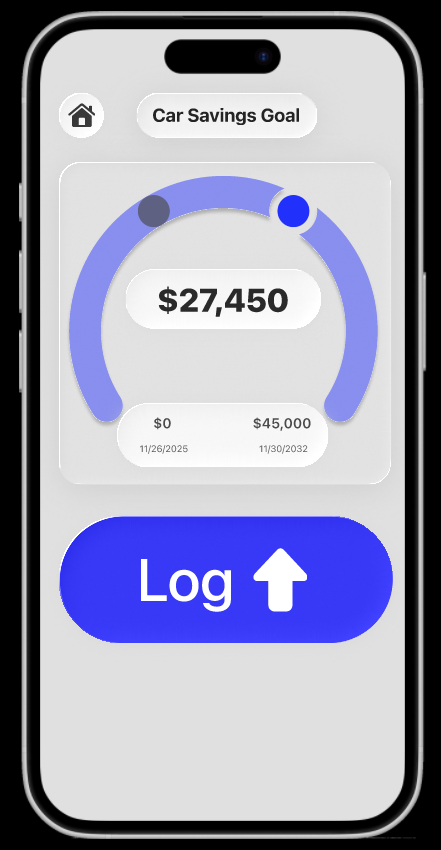
- Savings Goals
- This feature comes from a banking application, more or less. Think of this feature like a piggy bank. The money may come from anywhere but little by little the piggy gets fuller. That’s what this feature does but adds mathematical incentives and visuals to make goals timely, and obtainable.
- Distributions
- As someone who likes to distribute money around a lot. Using a calculator can make it into a daughting task, especially when you’re using the same formula each time. This feature is meant to streamline that process. You as the user make the formula however it works for, and the feature does the math for you. Making the process faster and easier.
- Log
- Need to know where your money went? This log is meant to help with that, each of the features report an automated log to this feature but you can also add your own input to either the automated logs or make a log of your own. This instills a healthy habit of writing down what you did with what, so you can reference it later when you don’t remember where that $100 went.